In today’s competitive digital landscape, businesses need effective ways to reach potential customers quickly. While organic marketing strategies like SEO take time to generate results, paid advertising helps businesses appear in front of the right audience instantly. One of the most powerful platforms for online advertising is Google Ads.
Google Ads for Beginners can seem confusing at first because of different campaign types, bidding options, keywords, and performance metrics. However, once you understand the basics, Google Ads becomes a valuable tool for increasing website traffic, generating leads, and driving sales.
This beginner-friendly Google Ads guide will help you understand how Google Ads works, different campaign types, important strategies, and how businesses can improve their advertising performance through optimization and automation.
What Is Google Ads?
Google Ads is an online advertising platform developed by Google that allows businesses to display ads across Google Search, YouTube, Google Display Network, Google Maps, and partner websites.
Businesses can create advertisements that appear when users search for specific products, services, or information. Unlike traditional advertising, Google Ads allows advertisers to target users based on their search intent, location, interests, demographics, and online behavior.
For example, if someone searches for “best digital marketing agency near me,” businesses running Google Search Ads for that keyword can appear at the top of the search results.
Google Ads works on a pay-per-click (PPC) model, meaning advertisers usually pay only when someone clicks on their advertisement.
Google Ads works through an auction system. Every time someone searches on Google, an instant auction takes place between advertisers competing for the same keywords.
Google considers several factors before deciding which ads appear and in what position.
The main factors include:
1. Bid Amount
Advertisers choose how much they are willing to pay for clicks or conversions. A higher bid can improve ad visibility, but it is not the only ranking factor.
2. Quality Score
Quality Score measures the overall quality and relevance of your advertisement. It depends on:
- Expected click-through rate (CTR)
- Landing page experience
- Keyword and ad relevance
A high-quality ad can achieve better positions at a lower cost.
3. Ad Relevance
Google prefers showing ads that closely match user searches. Using relevant keywords and creating targeted ad copies improves campaign performance.
Different Types of Google Ads Campaigns
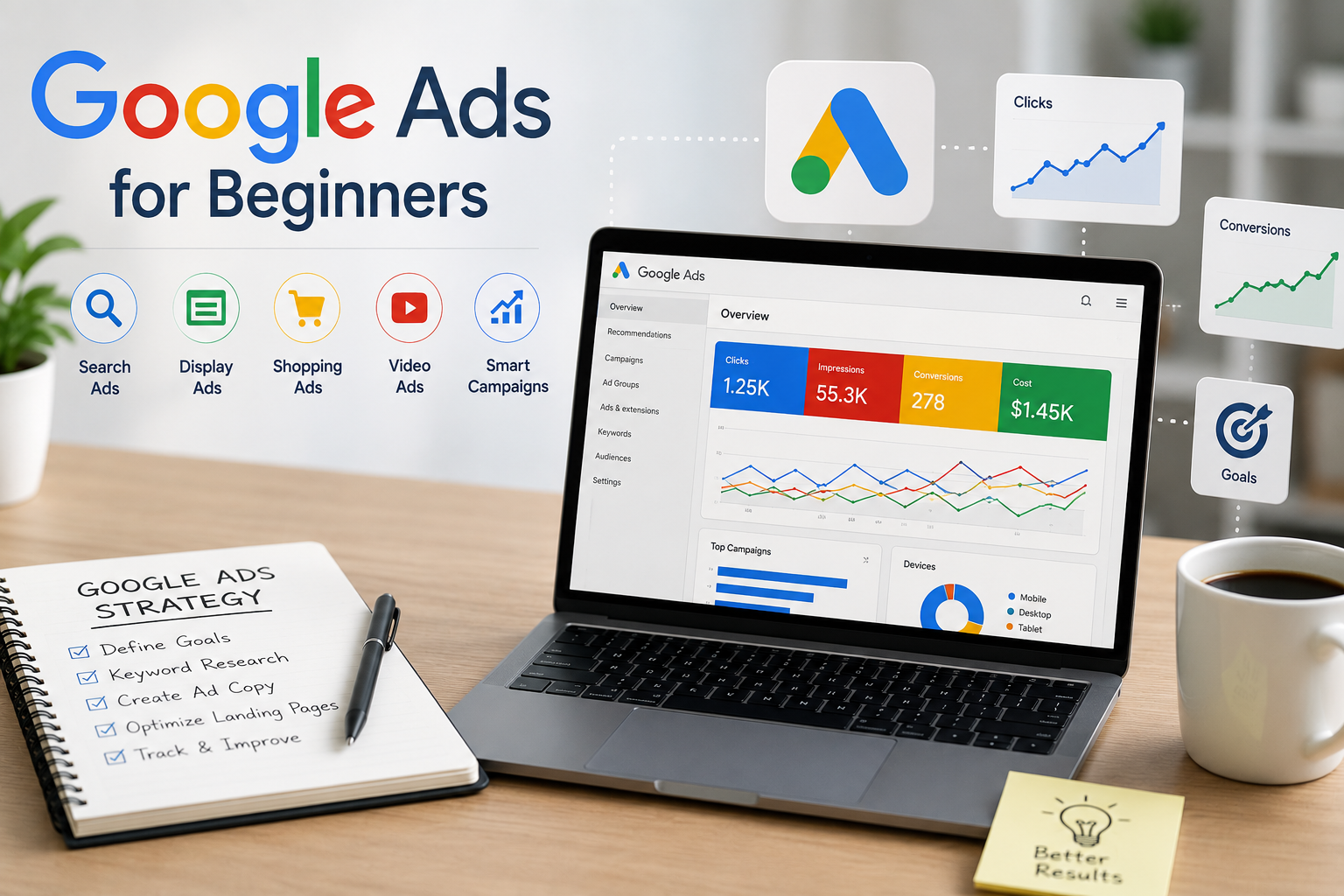
Understanding different campaign types is an important part of any Google Ads Strategy. Each campaign type serves a different marketing goal.
1. Search Ads
Search Ads appear on Google search results when users search for specific keywords.
Example:
A user searches “SEO services in India,” and an SEO agency’s advertisement appears at the top.
Best for:
- Lead generation
- Service-based businesses
- Increasing website inquiries
2. Display Ads
Display Ads appear across websites, apps, and Google’s partner networks. These ads usually include images, banners, or graphics.
Best for:
- Brand awareness
- Remarketing campaigns
- Reaching new audiences
3. Shopping Ads
Shopping Ads are designed for eCommerce businesses. They display product images, prices, ratings, and store information directly in search results.
Best for:
- Online stores
- Product sales
- Increasing purchase conversions
4. Video Ads
Video Ads appear mainly on YouTube and other video partner platforms.
Best for:
- Brand promotion
- Product demonstrations
- Audience engagement
5. Performance Max Campaigns
Performance Max campaigns use Google’s automation technology to display ads across multiple Google channels, including Search, Display, YouTube, Gmail, and Maps.
These campaigns use machine learning to find potential customers and improve conversions.
Benefits of Google Ads for Businesses
Google Ads helps businesses reach potential customers quickly with targeted and measurable advertising. It provides several advantages over traditional marketing methods.
Instant Visibility
Google Ads allows businesses to appear at the top of search results immediately, helping them attract customers faster compared to organic SEO efforts.
Targeted Advertising
Businesses can reach the right audience by targeting users based on:
- Location
- Language
- Search behavior
- Interests
- Device type
This improves ad relevance and increases the chances of conversions.
Measurable Results
Google Ads provides valuable performance data, including:
- Clicks
- Impressions
- Conversion rates
- Cost per click (CPC)
- Return on ad spend (ROAS)
These insights help businesses optimize campaigns and make better decisions.
Budget Control
Advertisers can set daily budgets, adjust spending, and manage campaigns according to performance, making Google Ads suitable for businesses of all sizes.
How to Create a Successful Google Ads Strategy
A successful Google Ads Strategy requires proper planning, keyword research, and regular optimization. A well-structured approach helps businesses improve campaign performance and achieve better results.
1. Define Your Campaign Goals
Before creating ads, clearly define your objectives, such as increasing website traffic, generating leads, driving sales, or improving brand awareness. Clear goals help you select the right campaign type and measure success effectively.
2. Perform Keyword Research
Keywords are the foundation of Search Ads. Choose relevant keywords that match your audience’s search intent, including high-intent, long-tail, and location-based keywords. This helps attract users who are more likely to convert.
3. Create Effective Ad Copy
Your ad copy should highlight your business benefits and encourage users to take action. Use relevant headlines, clear messaging, and strong CTAs like “Get Free Consultation,” “Request a Quote,” or “Shop Now” to improve engagement.
4. Optimize Landing Pages
A well-optimized landing page improves user experience and increases conversions. Ensure your landing pages have fast loading speed, mobile-friendly design, clear information, simple forms, and strong calls-to-action.
Google Ads Campaign Optimization Tips
Successful advertising requires continuous monitoring and improvements. Google Ads Campaign Optimization helps improve performance while reducing unnecessary spending.
Important optimization practices include:
- Monitor Keyword Performance: Remove keywords that spend money but do not generate results. Add new keywords that bring quality traffic.
- Use Negative Keywords: Negative keywords prevent your ads from appearing for irrelevant searches.
- Improve Ad Quality: Test different headlines, descriptions, and offers to identify which ads perform better.
- Adjust Bids: Increase bids for high-performing keywords and reduce spending on keywords with poor results.
How Google Ads Automation Helps Advertisers
Google Ads Automation uses machine learning to improve campaign performance automatically.
Automation features include:
- Smart bidding
- Automated targeting
- Performance Max campaigns
- Responsive search ads
Smart bidding strategies such as Target CPA and Target ROAS help Google automatically adjust bids based on the possibility of generating conversions.
However, automation works best when campaigns have enough conversion data and proper tracking setup.
Common Google Ads Mistakes Beginners Should Avoid
Many beginners waste their advertising budget because of poor campaign management.
Avoid these mistakes:
- Targeting Too Many Keywords: Using too many unrelated keywords can reduce campaign relevance.
- Ignoring Conversion Tracking: Without conversion tracking, you cannot understand whether your ads are generating business results.
- Not Testing Ads: Running only one advertisement limits your ability to discover better-performing versions.
- Sending Traffic to the Homepage: Create dedicated landing pages that match your advertisement message.
Conclusion
Google Ads is one of the most effective digital marketing platforms for businesses looking to reach customers quickly and generate measurable results. Although starting with paid advertising may seem challenging, understanding the basics can help beginners create successful campaigns.
By choosing the right keywords, creating relevant ads, optimizing landing pages, and using smart automation features, businesses can improve their advertising performance and achieve better returns.
Whether you want more website visitors, qualified leads, or online sales, learning Google Ads for Beginners is an essential step toward building a successful digital marketing strategy. Ready to master Google Ads and grow your online presence? Explore IDMI’s digital marketing courses and start building practical, results-driven skills today.
Frequently Asked Questions
1. Is Google Ads suitable for beginners?
Yes, Google Ads is suitable for beginners. With proper keyword research, budgeting, and campaign optimization, anyone can create effective advertising campaigns.
2. How much does Google Ads cost?
Google Ads does not have a fixed cost. Advertisers control their budget and pay based on clicks, impressions, or conversions depending on the campaign type.
3. How long does it take to see results from Google Ads?
Google Ads can generate traffic immediately after campaigns become active. However, optimization and better results usually require continuous testing and improvements.
4. What is the best Google Ads strategy for beginners?
Beginners should start with clear goals, focused keyword targeting, conversion tracking, and regular campaign optimization to improve performance.